Job Management: Tackling Weather-Related Callouts
Unpredictable weather is a constant challenge for UK tradespeople. From burst pipes in winter freezes to storm damage needing urgent repairs, managing weather-related callouts efficiently is crucial for maintaining profitability and customer satisfaction. Effective job management is key to navigating these disruptions.
Why Weather Wreaks Havoc on Your Job Management
The UK's weather is notoriously unpredictable, and this directly impacts the workload and scheduling of trades businesses. Sudden changes in weather can lead to:
* Increased call volume: Storms, floods, and heatwaves all generate emergency repair requests.
* Scheduling chaos: Outdoor jobs become impossible, forcing rescheduling and impacting cash flow.
* Safety concerns: Working in hazardous weather conditions can put tradespeople at risk.
* Material delays: Extreme weather can disrupt the supply chain, delaying material deliveries.
How Job Management Software Helps You Weather the Storm
Modern job management software offers a range of features to help trades businesses effectively manage weather-related disruptions and maintain a smooth operation. Here's how:
1. Centralised Communication
Tip:
Keep clients informed. Proactive communication builds trust and manages expectations. Use your job management software's messaging features to send updates to clients about potential delays or rescheduling.

* Real-time updates: Quickly communicate schedule changes to your team and customers via SMS or email directly from the software.
* Automated notifications: Set up automated notifications to inform customers about appointment confirmations, delays, or rescheduling due to weather.
* Centralised messaging: Keep all communication related to a specific job in one place, ensuring everyone is on the same page.
2. Efficient Scheduling and Rescheduling
* Drag-and-drop scheduling: Easily reschedule appointments with a simple drag-and-drop interface. Identify gaps in your schedule and fill them with urgent weather-related jobs.
* Optimised routing: Re-optimise your team's routes based on new job locations and weather conditions, minimising travel time and fuel costs.
* Team availability tracking: Quickly see which team members are available to handle urgent callouts, taking into account their skills and location.
3. Streamlined Invoicing and Quoting
* Quickly generate quotes for emergency repairs: Use pre-built templates to create accurate quotes for common weather-related repairs, such as roof repairs or burst pipe replacements. Ensure you can quote on the go by using an invoicing app.
* Track material costs accurately: Monitor material prices and adjust quotes accordingly to account for potential price increases due to weather-related shortages.
* Simplify invoicing: Generate invoices quickly and easily, even for complex jobs involving multiple repairs or materials. Ensure quick payment using an invoicing app that is fully integrated within your job management software.
4. Data-Driven Insights
* Track weather-related job costs: Monitor the costs associated with weather-related jobs to identify trends and improve pricing strategies. Consider if you need to specialise in certain areas.
* Analyse team performance: Evaluate how different team members perform in handling weather-related emergencies to identify areas for improvement.
* Predict future demand: Use historical data to predict future demand for weather-related services and prepare your business accordingly.
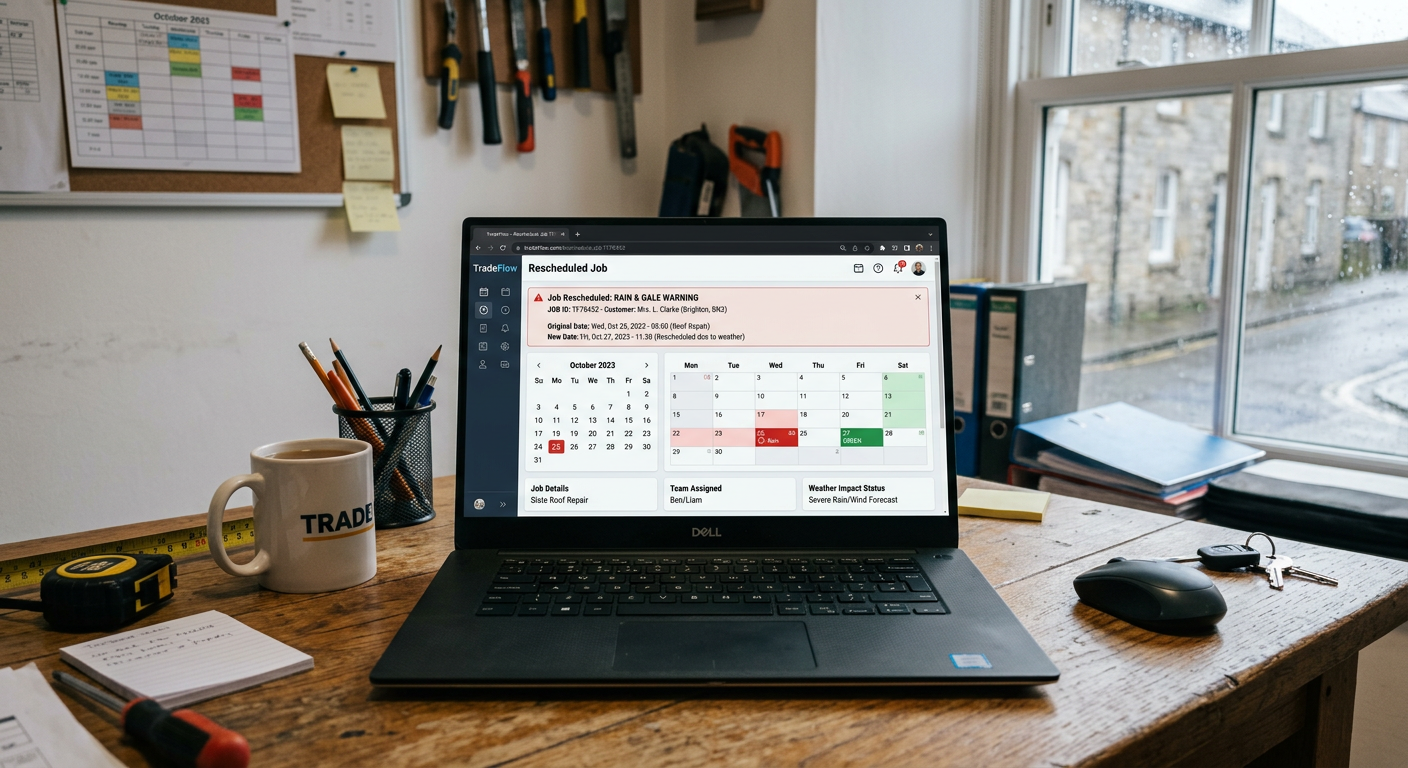
Step-by-Step Guide: Handling a Weather Emergency with Job Management Software
Here's a practical example of how to use job management software to handle a weather-related emergency:
- Receive emergency call: A customer calls reporting a burst pipe due to freezing temperatures.
- Log the call: Immediately log the call in your job management software, capturing all relevant details, including the customer's location, the nature of the emergency, and any specific instructions.
- Assess urgency: Prioritise the job based on its urgency and potential impact on the customer. A burst pipe should be treated as a high-priority emergency.
- Dispatch a team: Identify the nearest available team member with the necessary skills and equipment to handle the job. Use the software's scheduling feature to assign the job to the team member and send them an automated notification.
- Communicate with the customer: Send the customer an SMS message confirming the appointment and providing an estimated time of arrival.
- Update job status: As the team member travels to the job site, update the job status in the software to keep the customer informed of their progress.
- Complete the job: Once the team member has completed the repair, record all relevant details in the software, including the materials used, the time spent on the job, and any additional notes.
- Generate an invoice: Automatically generate an invoice based on the recorded details and send it to the customer electronically.
- Follow up with the customer: After the job is completed, follow up with the customer to ensure they are satisfied with the service and address any concerns.
Did you know?
A recent study found that weather-related delays cost UK trades businesses an average of £5,000 per year in lost revenue.

Key Considerations for Choosing Job Management Software
When selecting job management software, consider the following factors:
* Ease of use: The software should be user-friendly and intuitive, allowing your team to quickly learn and use it effectively.
* Mobile accessibility: The software should be accessible on mobile devices, enabling your team to manage jobs and communicate with customers on the go.
* Integration with other tools: The software should integrate seamlessly with other tools you use, such as accounting software and payment gateways.
* Customisation options: The software should offer customisation options to tailor it to your specific business needs.
* Customer support: The software vendor should provide excellent customer support to assist you with any questions or issues.
By embracing job management software, UK tradespeople can transform weather-related disruptions from a major headache into a manageable challenge. You can minimise lost revenue, improve customer satisfaction, and build a more resilient and profitable business. Don't let the unpredictable UK weather hold your trades business back. Embrace the power of job management software and take control of your schedule, communication, and finances.
Ready to streamline your business and tackle those weather-related callouts with ease? Explore how TradeFlow's comprehensive features can help you manage every aspect of your trades business, from scheduling and invoicing to communication and customer management. Visit our website to learn more and request a demo.