Quote Software for Tradespeople: Maximise Your Profits
Creating accurate and professional quotes is crucial for tradespeople. Using the right quote software can transform your business, saving you time, reducing errors, and ultimately increasing your profits. In this guide, we'll explore the benefits of dedicated quote software and how to choose the best solution for your needs.
Why Tradespeople Need Dedicated Quote Software
Manual quote creation is time-consuming and prone to errors. Spreadsheets, while free, lack the features needed to create professional, accurate quotes efficiently. Dedicated quote software addresses these issues by:
* Saving Time: Automating calculations, storing product and labour rates, and generating templates significantly reduce the time spent creating each quote.
* Improving Accuracy: Minimising manual data entry reduces the risk of errors, ensuring accurate pricing and preventing costly mistakes.
* Enhancing Professionalism: Creating branded, professional-looking quotes enhances your company's image and builds trust with clients.
* Streamlining Communication: Many quote software options allow for easy sharing and tracking of quotes, improving communication with clients.
* Boosting Conversion Rates: Accurate, professional quotes increase the likelihood of winning jobs. By presenting a clear and comprehensive breakdown of costs, you instill confidence in potential clients.

Key Features to Look for in Quote Software
When choosing quote software, consider the following key features:
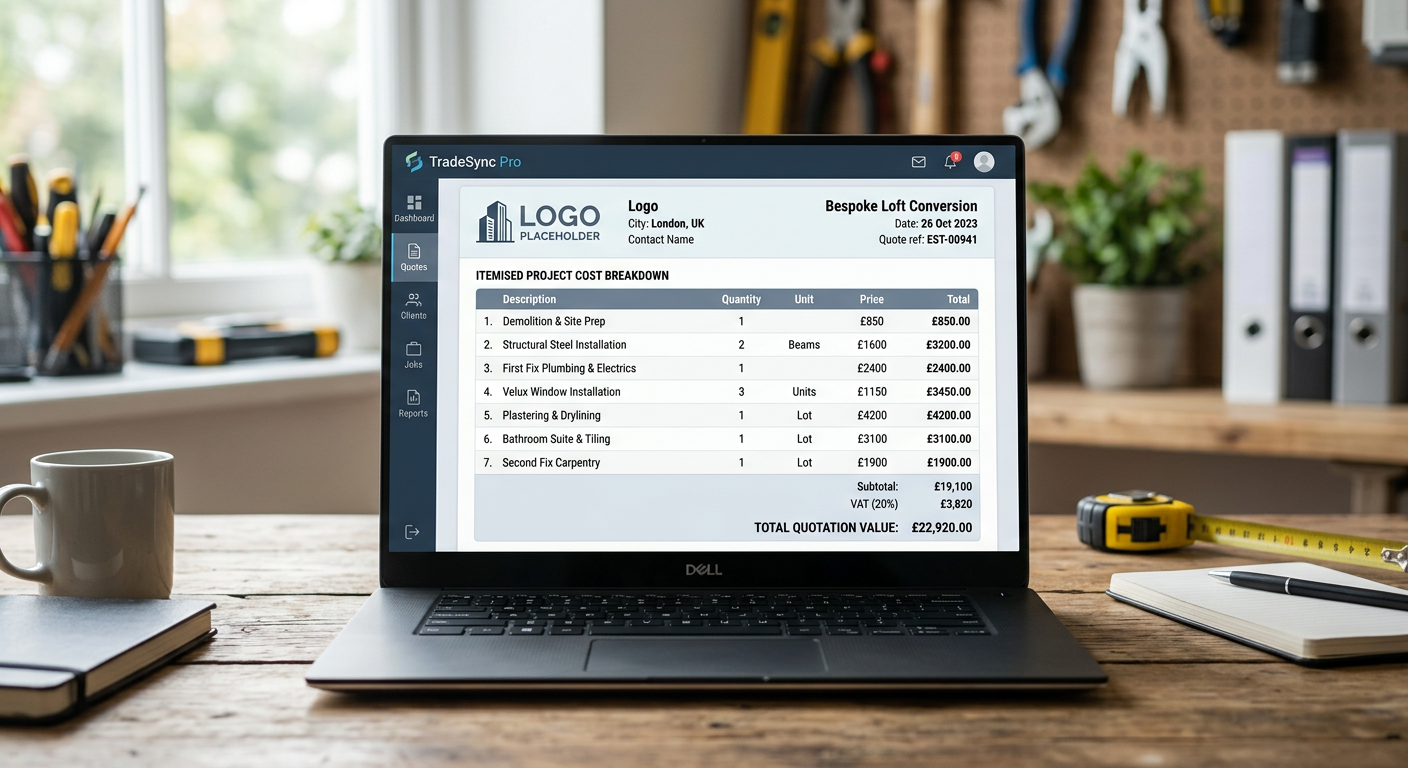
* Customisable Templates: Look for software that allows you to create branded templates with your logo, colours, and contact information. A professional template instantly makes a positive impression.
* Itemised Pricing: The ability to easily create itemised lists of materials and labour costs is essential for transparency and accuracy.
* Material and Labour Rate Database: A built-in database of common materials and labour rates saves time and ensures consistent pricing. You should also be able to easily update these rates to reflect market changes.
* Mobile Accessibility: Accessing and creating quotes on the go via a mobile app is crucial for tradespeople who spend most of their time on job sites. Integration with a scheduling app is a plus.
* Integration with Accounting Software: Seamless integration with your accounting software simplifies invoicing and financial management. This will save you hours of admin time.
* Payment Processing: Some quote software includes built-in payment processing, allowing clients to pay invoices directly online. This can speed up payment times and improve cash flow.
* Reporting and Analytics: Reporting features provide valuable insights into your quoting process, helping you identify areas for improvement.
Tip:
Look for a quote software that offers a free trial period. This allows you to test the software and ensure it meets your specific needs before committing to a subscription.
Step-by-Step Guide to Using Quote Software Effectively
Here's a step-by-step guide to using quote software effectively:
- Set Up Your Account: Create an account and configure your company information, including your logo, contact details, and payment information.
- Customise Your Templates: Create or customise quote templates to match your brand. Ensure your templates are clear, concise, and easy to read.
- Populate Your Database: Add your common materials and labour rates to the software's database. Keep this database updated to reflect current market prices.
- Create a New Quote: When a new job comes in, create a new quote in the software. Enter the client's information and job details.
- Add Items to the Quote: Add items to the quote, including materials, labour, and any other relevant costs. Use the software's database to quickly select items and automatically calculate prices.
- Review and Adjust: Review the quote carefully to ensure accuracy. Adjust prices as needed to reflect the specific requirements of the job.
- Send the Quote: Send the quote to the client via email or other communication channels. Track the status of the quote to follow up with the client.
- Convert Quote to Invoice: Once the client approves the quote, convert it into an invoice with a few clicks. This eliminates the need to re-enter information and ensures consistency.
Choosing the Right Quote Software for Your Trade
The best quote software for you will depend on your specific needs and budget. Here are some factors to consider:
* Industry-Specific Features: Some quote software is designed specifically for certain trades. These solutions often include industry-specific templates and features.
* Pricing: Quote software is typically offered on a subscription basis. Compare the pricing plans of different providers and choose a plan that fits your budget.
* Ease of Use: Choose software that is easy to learn and use. A user-friendly interface will save you time and frustration.
* Customer Support: Ensure the provider offers reliable customer support in case you encounter any issues.
Did you know? Tradespeople who use quote software report an average increase of 20% in their conversion rates.
Integrating Quote Software with Job Management
For maximum efficiency, integrate your quote software with a comprehensive job management software solution. This allows you to manage all aspects of your business, from quoting and scheduling to invoicing and payment processing, in one central location. Consider also using AI phone answering to ensure no potential leads go unanswered, improving the chances of getting more jobs to quote for. A professional online presence through a professional website also helps build trust and attract clients who will appreciate detailed quotes.
Conclusion
Implementing the right quote software is a smart investment for any UK tradesperson looking to streamline their business, improve accuracy, and increase their profits. By carefully evaluating your needs and choosing a solution that meets those needs, you can transform your quoting process and take your business to the next level.
Ready to take control of your business? Discover how TradeFlow's comprehensive features can help you manage your quotes, jobs, and finances all in one place. Visit our website to learn more.