Manage Your Schedule: The Best Scheduling App for UK Tradespeople
Running a trades business in the UK demands excellent organisation, and at its heart lies efficient scheduling. A reliable scheduling app is no longer a luxury, it's a necessity for staying competitive and delivering top-notch service. Juggling appointments, managing staff, and coordinating jobs can quickly become overwhelming without the right tools.
Why Tradespeople Need a Powerful Scheduling App
Tradespeople in the UK face unique scheduling challenges:
* Variable Job Durations: Each job has a different timeframe, making accurate scheduling difficult.
* Geographic Dispersion: Travelling between jobs across different locations eats into productive time.
* Urgent Callouts: Unexpected emergencies require immediate rescheduling and adjustments.
* Staff Availability: Coordinating multiple employees with varying skill sets and availability needs careful planning.
* Communication: Keeping clients informed about appointment times, delays, and changes is critical.
A scheduling app addresses these challenges by providing:
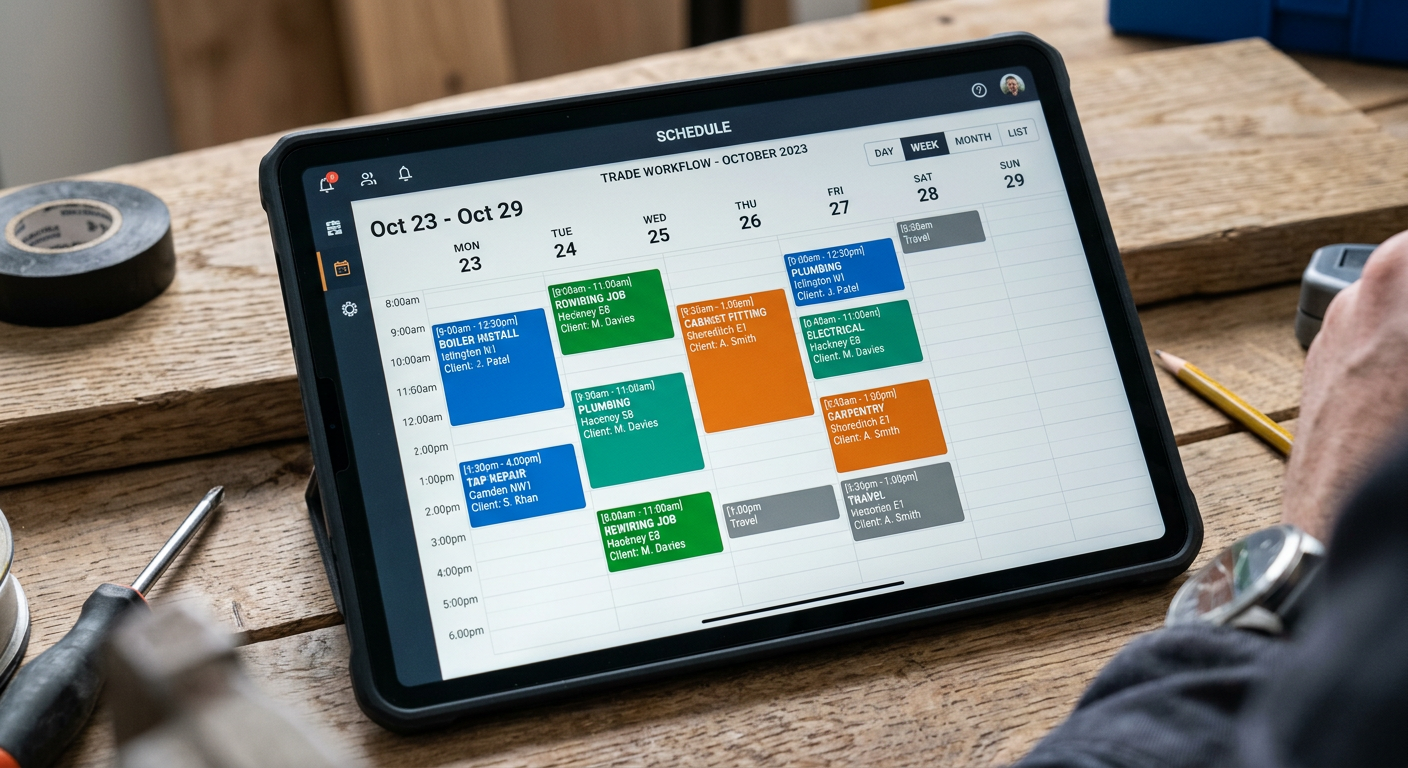
* Centralised Calendar: A single, shared calendar for all appointments and staff schedules.
* Automated Reminders: Reducing no-shows and keeping clients informed.
* Real-Time Updates: Allowing for quick adjustments and notifications in response to unforeseen circumstances.
* Optimised Routing: Minimising travel time and maximising productivity.
* Improved Communication: Facilitating seamless communication between staff and clients.
Features to Look For in a Scheduling App for UK Trades
When choosing a scheduling app, consider these essential features:
- Intuitive Interface: The app should be easy to use for all staff members, regardless of their technical skills.
- Mobile Accessibility: Access the schedule from any device, anywhere, anytime.
- Appointment Reminders: Automated SMS and email reminders to reduce no-shows.
- Drag-and-Drop Scheduling: Easily reschedule appointments with a simple drag-and-drop interface.
- Job Notes and Attachments: Attach important information, photos, and documents to each job.
- Staff Management: Manage employee availability, skills, and locations.
- Reporting and Analytics: Track key metrics like job completion rates and staff productivity.
- Integration with Other Tools: Seamlessly integrate with your existing invoicing app, accounting software, and other business tools.
- Customer Communication: Built-in features for communicating with clients via SMS, email, and phone.
- UK-Specific Support: Ensure the app offers support and features tailored to the UK market, such as postcode integration and VAT calculations.
Tip:
Look for apps offering a free trial period. This allows you to test the software and ensure it meets your specific needs before committing to a paid subscription.
Comparing Popular Scheduling Apps for UK Tradespeople
While there are numerous scheduling apps available, here's a brief comparison of some popular options tailored for UK trades:
| App Name | Key Features | Pricing | UK-Specific Considerations |
|---|---|---|---|
| TradeFlow | Job Management, Scheduling, Invoicing, Quoting, Customer Communication, AI phone answering | Custom pricing, tailored to your needs | Integrated job management features; UK-based support. |
| Google Calendar | Basic scheduling, sharing, and reminders. | Free (with Google account) | Requires customisation for trade-specific needs; no built-in invoicing or job management features. |
| Microsoft Bookings | Scheduling, customer booking page, automated reminders. | Included with Microsoft 365 Business plans | Integrates with other Microsoft products; may require additional apps for invoicing and job tracking. |
| ServiceM8 | Job management, scheduling, invoicing, quoting, and customer communication. | Subscription-based | Designed specifically for tradespeople; offers UK-based support and integrations. |

Step-by-Step Guide to Implementing a Scheduling App
- Assess Your Needs: Identify your current scheduling challenges and desired outcomes. What specific problems do you want to solve with a scheduling app?
- Research and Compare Options: Explore different scheduling apps, read reviews, and compare features and pricing. Consider factors like ease of use, integration capabilities, and UK-specific support.
- Sign Up for a Free Trial: Take advantage of free trials to test different apps and see which one best fits your needs.
- Import Your Data: Import your existing customer and appointment data into the new app.
- Train Your Staff: Provide training to all staff members on how to use the app effectively.
- Set Up Automated Reminders: Configure automated SMS and email reminders to reduce no-shows.
- Monitor and Adjust: Track key metrics like job completion rates and staff productivity to identify areas for improvement. Professional website integration can help too!
- Integrate with Other Tools: Connect your scheduling app with your accounting software, social media management, and other business tools to streamline your workflow.
Did you know?
Studies show that businesses using scheduling apps can reduce no-shows by up to 50% and increase staff productivity by 20%.
Maximising the Benefits of Your Scheduling App
* Regularly Update Your Schedule: Keep your schedule up-to-date with all appointments, staff availability, and job details.
* Use Colour-Coding: Use colour-coding to differentiate between different job types, staff members, or priority levels.
* Enable Notifications: Turn on notifications to receive real-time updates about new appointments, cancellations, and changes.
* Communicate Clearly with Clients: Use the app to communicate with clients about appointment times, delays, and changes.
* Track Your Performance: Monitor key metrics like job completion rates and staff productivity to identify areas for improvement.
Choosing and implementing the right scheduling app can significantly improve your efficiency, reduce stress, and boost customer satisfaction. By taking the time to assess your needs, compare options, and train your staff, you can unlock the full potential of scheduling technology and take your trades business to the next level.
In conclusion, investing in a robust scheduling app can revolutionise how you manage your trade business. It's not just about organising appointments; it's about optimizing your entire workflow, improving communication, and ultimately, boosting your bottom line. Consider the unique needs of your UK-based business and choose a solution that empowers you to deliver exceptional service, every time.
Ready to streamline your job management? Explore TradeFlow's comprehensive suite of tools designed specifically for UK tradespeople. Visit our website to learn more and request a demo.